Труднее всего достичь сбалансированной жизни. Где у тебя есть семья, друзья, работа, хобби, пиво по выходным и поездки за границу.
У творческих людей есть перекос в творчество и они уделяют на него всё своё время. У карьеристов не остаётся времени на семью и друзей. У тусовщиков нет времени на работу и творчество.
Бывает так, что в молодости ты тусовщик, потом карьерист, а потом семейный человек. Или наоборот, сначала ты стал карьеристом, добился успехов или разочаровался в этом, и стал творческой личностью.
Что лучше: вести сбалансированную жизнь или бросаться из крайности в крайность?
The hardest thing is to achieve a balanced life. One where you have family, friends, work, hobbies, beer on the weekends, and trips abroad.
Creative people tend to lean heavily toward their creative pursuits and devote all their time to them. Career-driven people have no time left for family and friends. Party people have no time for work or creativity.
Sometimes, in your youth, you’re a party animal, then a career-driven person, and then a family person. Or the other way around: first you became a career-driven person, achieved success or became disillusioned with it, and then became a creative person.
Which is better: leading a balanced life or swinging from one extreme to another?
1. Неопытный вайбкодер может создать приложение, где все пароли пользователей хранятся в открытом виде. 2. Неопытный пользователь может использовать один и тот же пароль на всех сервисах и не использовать двухфакторную авторизацию. 3. Неопытный хакер с помощью ИИ находит уязвимость в приложении и получает доступ к базе данных. 4. Пароль из базы даёт ему доступ ко всем сервисам, на которых зарегистрирован пользователь.
Эта проблема существовала всегда.
Но сейчас почти любой неопытный человек может создать приложение, а неопытный хакер может найти уязвимость в приложении.
При этом количество неопытных пользователей не поменялось. Только они теперь начали пользоваться навайкбоденными продуктами и подвергают себя большему риску, чем раньше.
1. An inexperienced vibecoder might create an app where all user passwords are stored in plain text. 2. An inexperienced user might use the same password across all services and not use two-factor authentication. 3. An inexperienced hacker uses AI to find a vulnerability in the app and gains access to the database. 4. The password from the database gives the hacker access to all the services where the user is registered.
This problem has always existed.
But now, almost any inexperienced person can create an app, and an inexperienced hacker can find a vulnerability in that app.
At the same time, the number of inexperienced users hasn’t changed. It’s just that they’ve now started using vibe-coded products and are exposing themselves to greater risk than before.
Right now, there are thousands of repositories on GitHub distributing malware. Any of you can find these repositories, and you don’t need any special knowledge to do so. All you have to do is use the standard search function on the GitHub website.
These repositories have been around for two years. GitHub has billions of dollars, a security team, and artificial intelligence. Why haven’t they solved this problem in two years?
First, we’ll look at the repositories we’ve already found, identify common patterns within them, and then use those patterns to find other repositories.
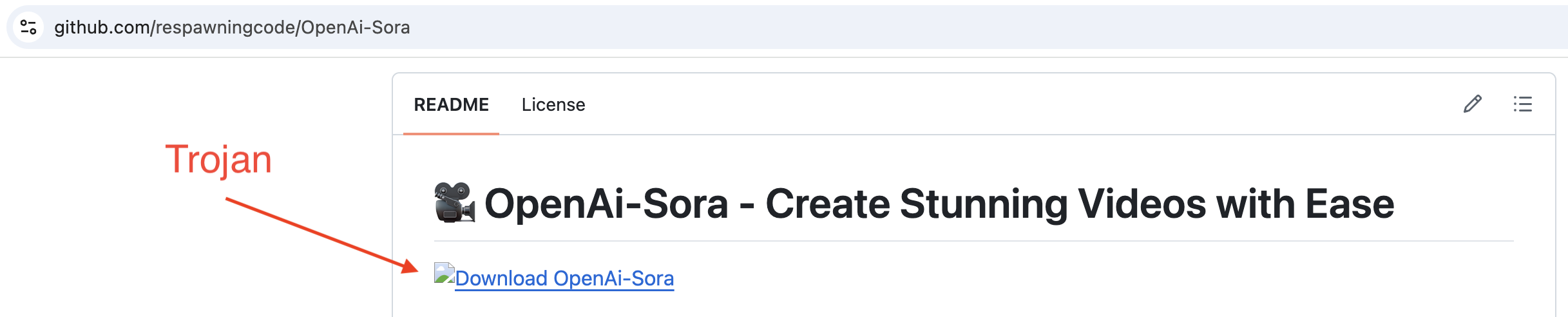
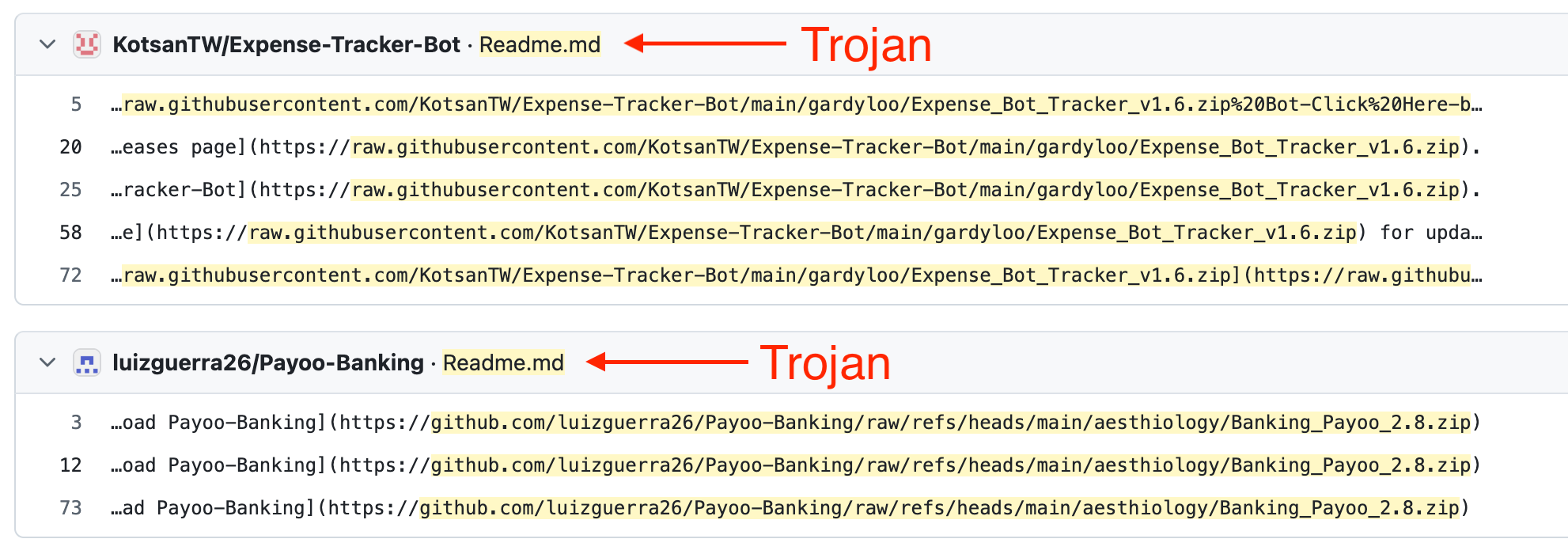
Take a look at these repositories; in each one, the readme contains a link to a zip archive containing a Trojan:
Link to download the zip archive containing the Trojan
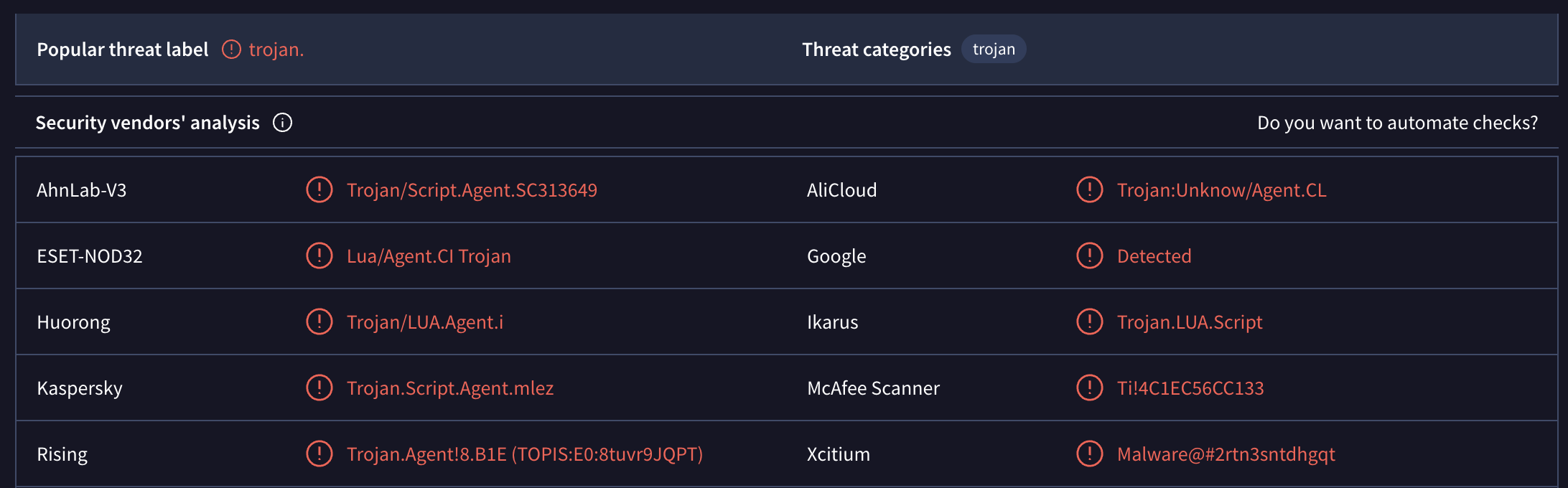
If we download this zip archive and submit individual files from it to VirusTotal, we’ll see the following results:
Scanning files from the zip archive on VirusTotal
Even a quick glance at these repositories shows that they have the same structure, nearly identical headings, and every heading contains an emoji. That’s all the information we need to find other repositories.
Let’s use the heading "📥 Download" and search for that string on GitHub. But we don’t want to search the entire codebase — just the readme files. Go to github.com and enter the following in the search bar at the top:
path:readme.md "## 📥 Download"
The number of results will always vary. At first, it showed me 9k repositories, but when I went to page 2, there were only 109 repositories. After refreshing the page, it was back to 9k repositories.
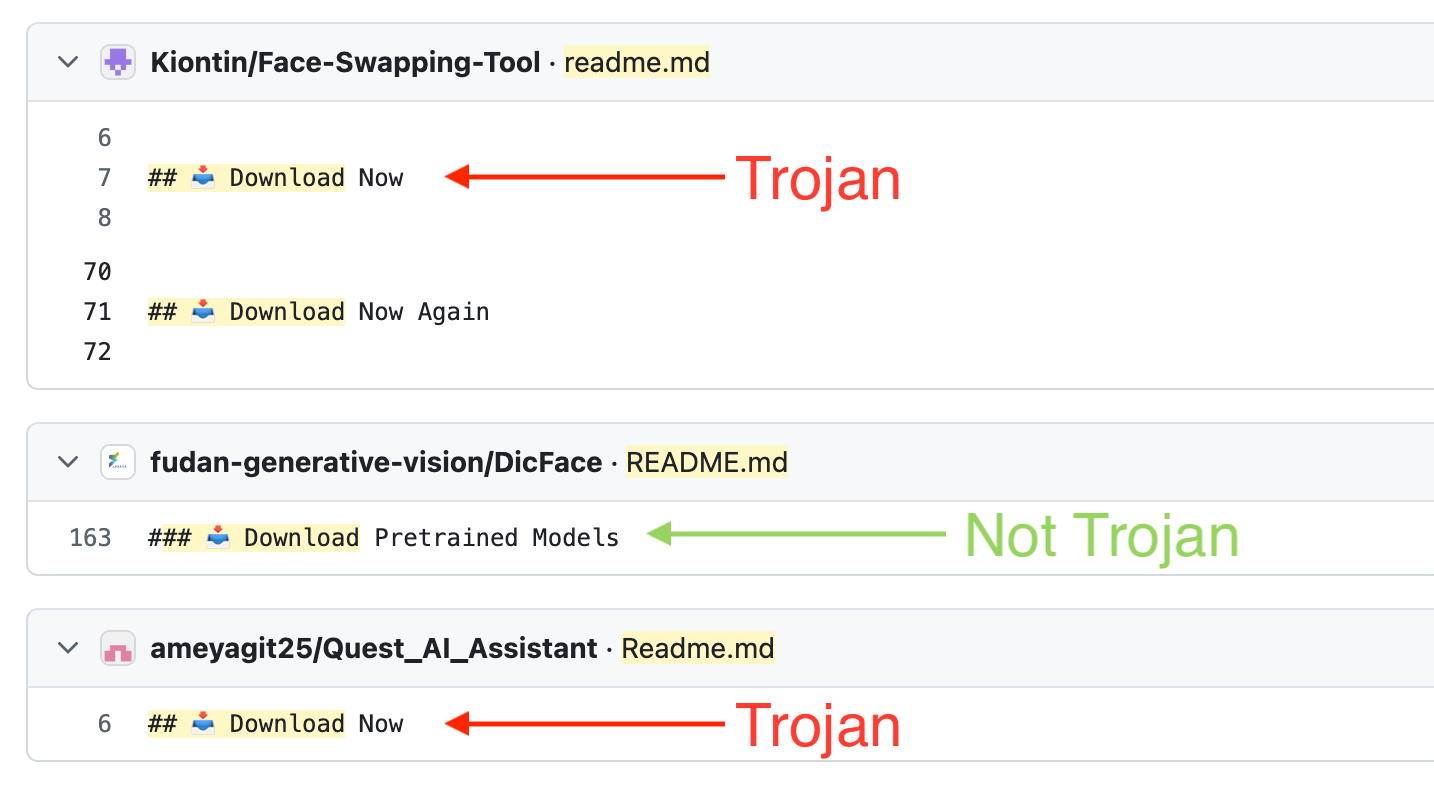
In the search output, you’ll need to visually filter out the results that contain any other text besides just the heading. The heading variations will look something like this:
## 📥 Download Now
## 📥 Download Now Again
## 📥 Download the Software
## 📥 Download & Install
Results of the first search
Open these repositories. They will have a link to a zip archive containing a Trojan.
However, the search results will include many legitimate repositories. We can improve the search by adding a search for zip archives. The search string will look like this:
path:readme.md "## 📥 Download" ".zip"
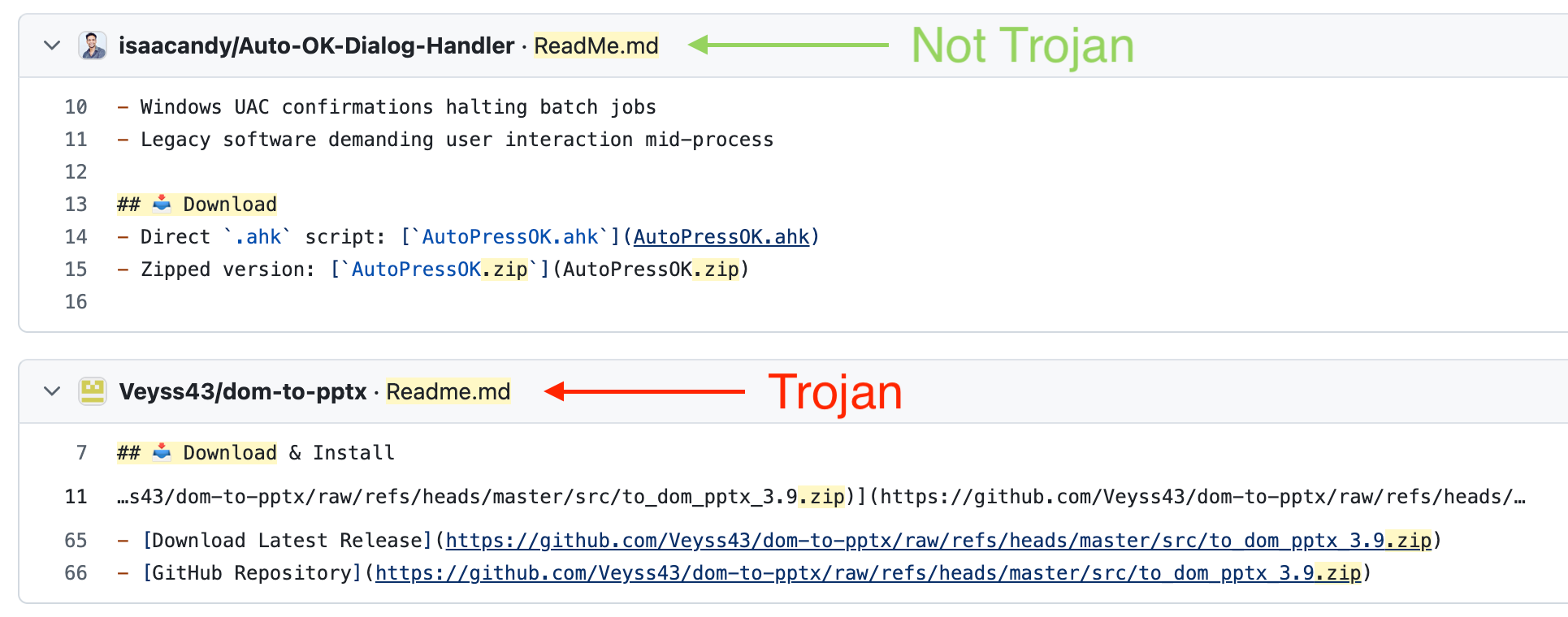
This will significantly improve the results. Now, right in the search results, we can see which repositories contain the heading we need and a link to a zip archive.
Results of the second search
But these results still include legitimate repositories. How else can we refine the search query?
All links to zip archives lead to githubusercontent.com or github.com. Also, the zip archive contains a version number, for example, "Software-3.6.zip". So we just need to write a regular expression to search for such links. But as I said at the beginning, you don’t need any specialized knowledge for this. Any free AI model can handle it. We feed it 10 such links, and after a few iterations, we get this result:
Enter this query, and you’ll get the repositories that are distributing the zip archive containing the Trojan. The number of repositories varies. In my case, sometimes there are 111, sometimes 4.4k.
Results of the third search
But this entire search only worked because we had an initial list of repositories from which we were able to derive a general search pattern.
Maybe GitHub’s security team didn’t have these repositories? Maybe they don’t know about this general pattern?
A month ago, I published an article in which I analyzed this scheme in detail. I wrote a script that found 10,000 such repositories. I published the list of all the repositories and the script on GitHub.
The article made it to the Hacker News front page. Other cybersecurity websites wrote about this scheme.
Here is the full list of actions GitHub took:
They deleted all 10k repositories that the script found.
That’s it. They didn’t do anything else.
What’s more, a few hours later I ran the script again; it found new repositories, and I added them to the article. They weren’t blocked for an entire month. Even though all they had to do was open my article again, grab the new links, and block those repositories. That turned out to be too difficult for them.
But there’s one conclusion we can draw: they’re well aware of this malware distribution scheme.
No matter how hard I try, I can’t find an answer to why this is happening. Microsoft is a corporation with billions in revenue. They have thousands of employees, limitless resources, and artificial intelligence. All they needed to do was allocate a few days for any regular employee so they could use Copilot to find all these repositories and block them.
I’ve never worked at a large company. And I can’t imagine how decisions are made specifically at GitHub, or what bureaucratic nightmare managers have to go through to start combating malicious repositories.
But they deleted all 10k repositories just a few hours after the first article was published.